./unrager

unrager

A calm X, on every screen.

A Twitter/X client with a local-LLM rage filter. Rage-bait is dropped before it ever reaches your eyes. One Rust engine, four native faces — a terminal TUI and native iOS, macOS and Linux apps.

GPL-3.0 free & open source Terminal iOS macOS Linux
$ curl -fsSL unrager.com/install.sh | bash

macOS & Linux · or cargo install unrager

  • Local LLM drops rage-bait before you ever see it
  • Four native faces, one Rust engine
  • No API key, no cloud, no per-feed cost
  • GPL-3.0 — your X session, your machine
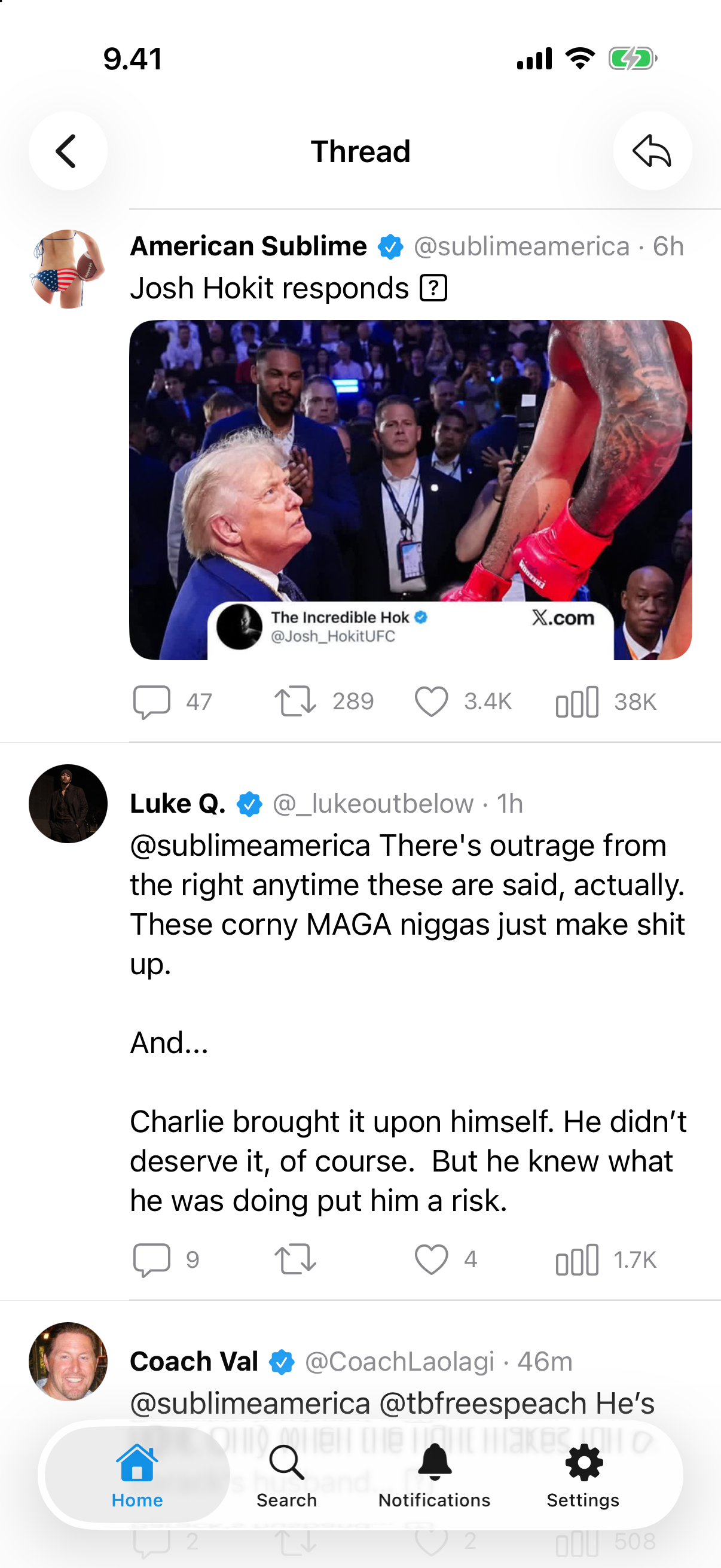
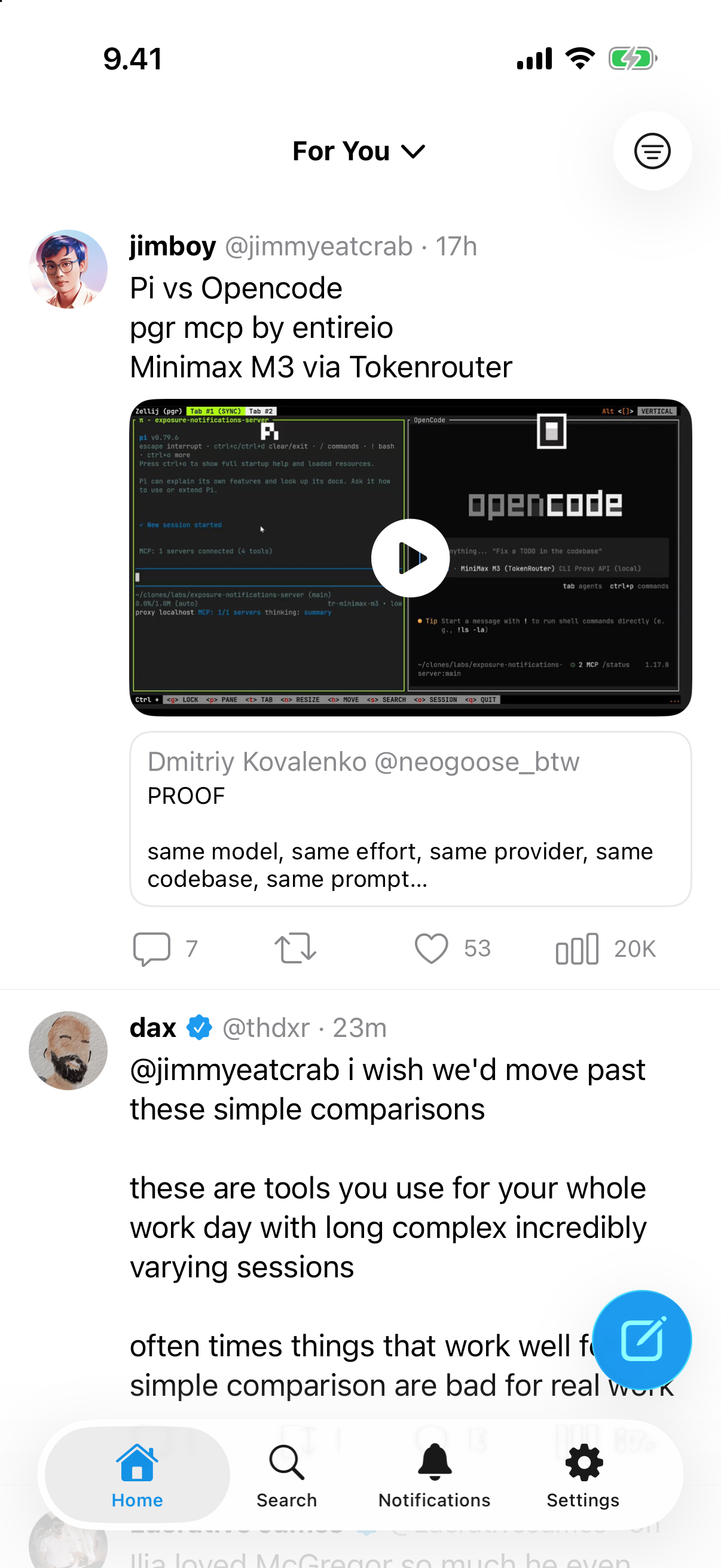
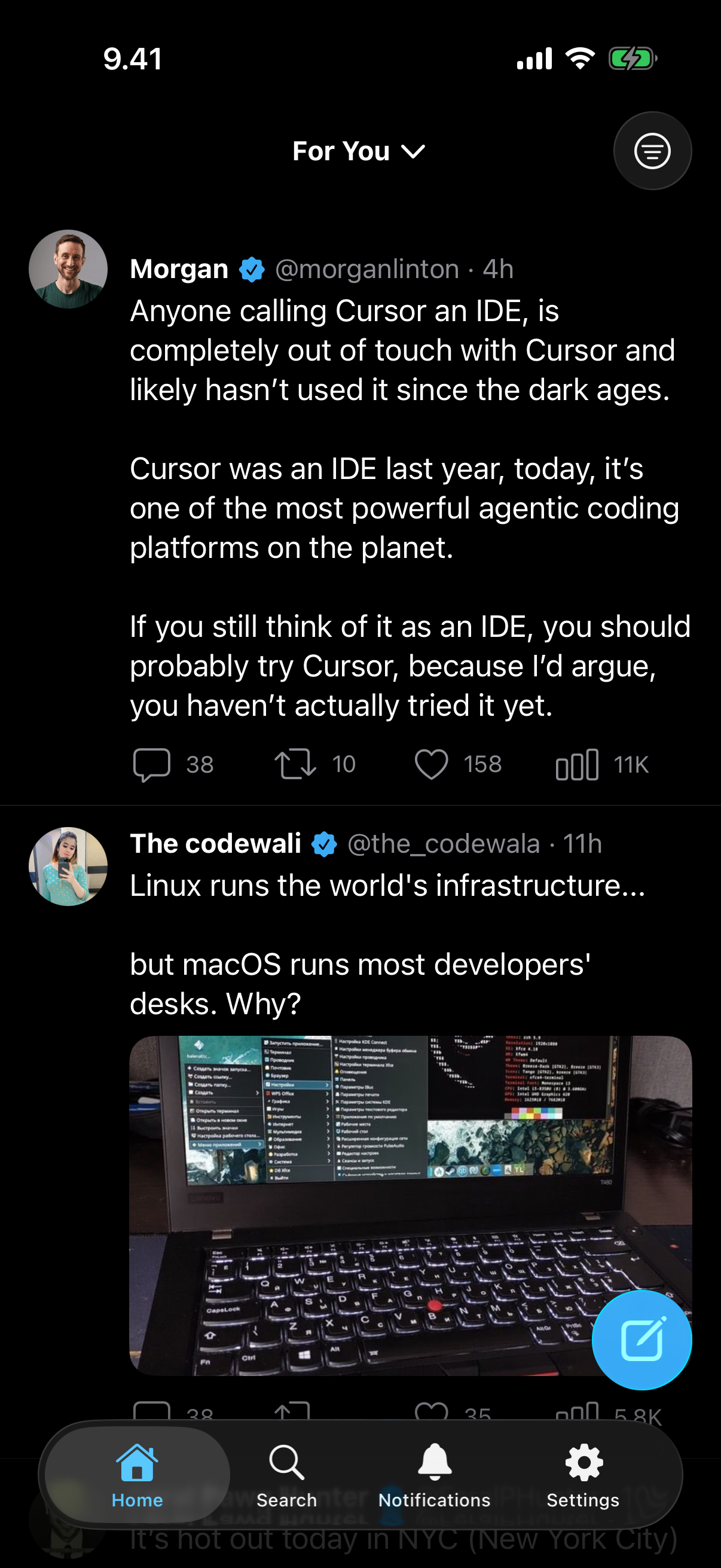
unrager on iPhone — a calm Home feed with the rage filter on

ls unrager/faces

Four faces, one engine

Every face talks to the same Rust core. Pick the terminal, the phone, the Mac, the Linux desktop — or all four at once.

Terminal — TUI & CLI

A full ratatui client and a one-shot CLI in one Rust binary. Inline photos, video posters and GIF frames via the kitty graphics protocol; author-avatar chips on every row; Vim-mode composing everywhere.

Rust · macOS, Linux, Windows · Ghostty / Kitty / WezTerm

$ curl -fsSL https://unrager.com/install.sh | bash
$ cargo install unrager
iOS — native app

A thin UIKit client built for iOS 26 with Liquid Glass and buttery scrolling. It talks to your own `unrager serve` over Tailscale — the Rust engine does the X work, the app stays a fast native shell.

Swift / UIKit · iOS 26 · Liquid Glass

$ git clone https://github.com/guitaripod/unrager
$ cd unrager/ios && xcodegen generate

Not on the App Store — it uses your own X session. Open the generated `Unrager.xcodeproj` in Xcode 26, sign with your team, and run on your iPhone. Then set your `unrager serve` address in Settings.

macOS — native app

A native AppKit app for macOS 26, sharing the iOS design language and Liquid Glass. Point it at your `unrager serve` instance on the Tailnet and read every feed from a real Mac window.

Swift / AppKit · macOS 26 · Liquid Glass

$ git clone https://github.com/guitaripod/unrager
$ cd unrager/macos && ./scripts/run.sh

Not on the Mac App Store — it uses your own X session. `run.sh` builds and launches it (unsigned is fine on your own Mac; `scripts/release-dmg.sh` makes a notarized DMG if you prefer). Then set your server address in Settings.

Linux — native app

A native GNOME desktop client in GTK4 and libadwaita (via relm4) — the Linux peer of the Apple apps. It auto-spawns or reuses a local `unrager serve`, or you point it at one over Tailscale. Feeds, threads, profiles, notifications, compose and the Ask / Brief / Translate sheet, all in a real Adwaita window with inline media that fills the column.

Rust · GTK4 / libadwaita · GNOME

$ git clone https://github.com/guitaripod/unrager
$ cd unrager/linux && cargo run -p unrager-gtk

Built from source like the Apple apps. Needs the GTK4 + libadwaita dev packages (`gtk4 libadwaita` on Arch, `libgtk-4-dev libadwaita-1-dev` on Debian/Ubuntu). On first launch it manages `unrager serve` for you; point it at a Tailscale server in Settings to read from anywhere.

cat unrager/FEATURES.md

What unrager does

A complete X client where the timeline is yours to shape — and the only model that ever sees your feed runs on your own machine.

The rage filter

Every tweet is classified by a local Ollama model against your own rubric. Matches are physically removed — not collapsed, not greyed, gone. Verdicts cache to SQLite; edit the rubric and the cache invalidates.

All your sources

For You, Following, lists, search, bookmarks, notifications, likes and any profile timeline. Free reads come straight from X’s own GraphQL endpoints — the same path the web client uses.

Threads & media

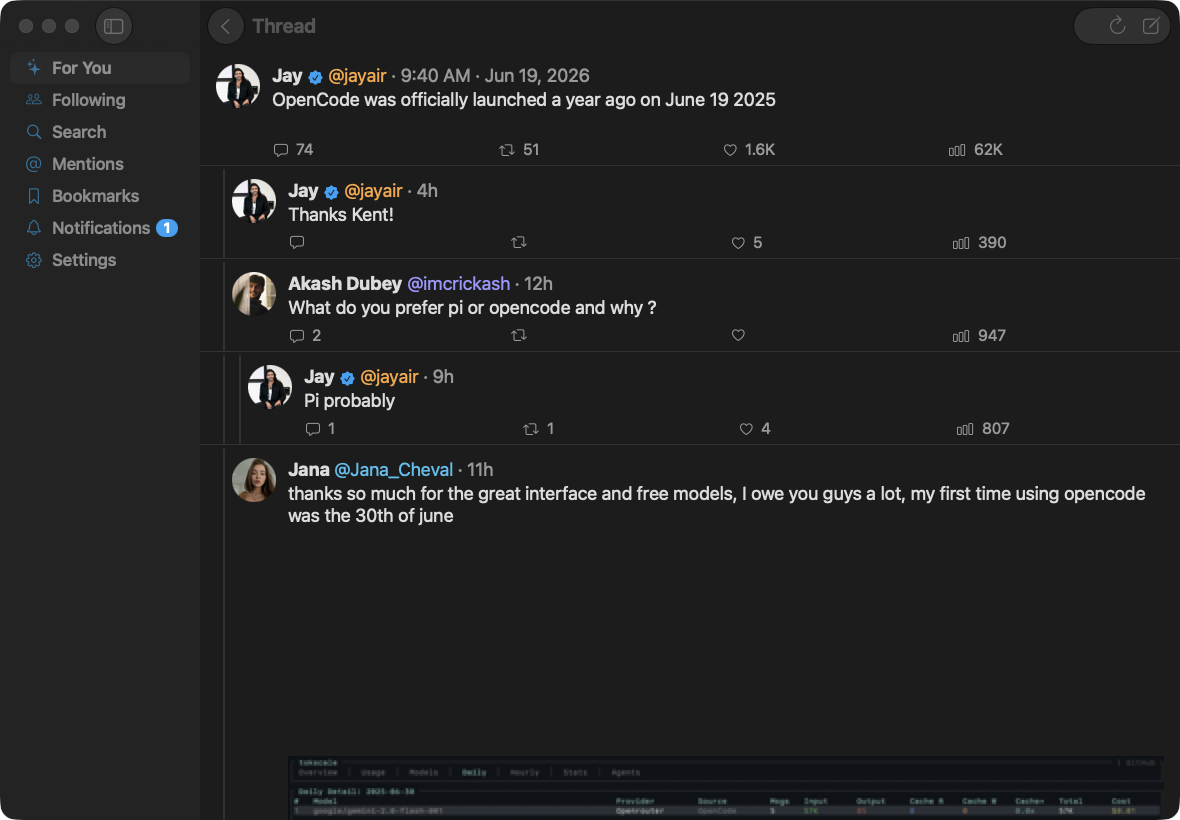
Split-pane reply chains with the focal tweet expanded and replies beneath. Photos, video posters and GIF frames render inline on the terminal and natively on iOS and macOS.

Profiles & briefs

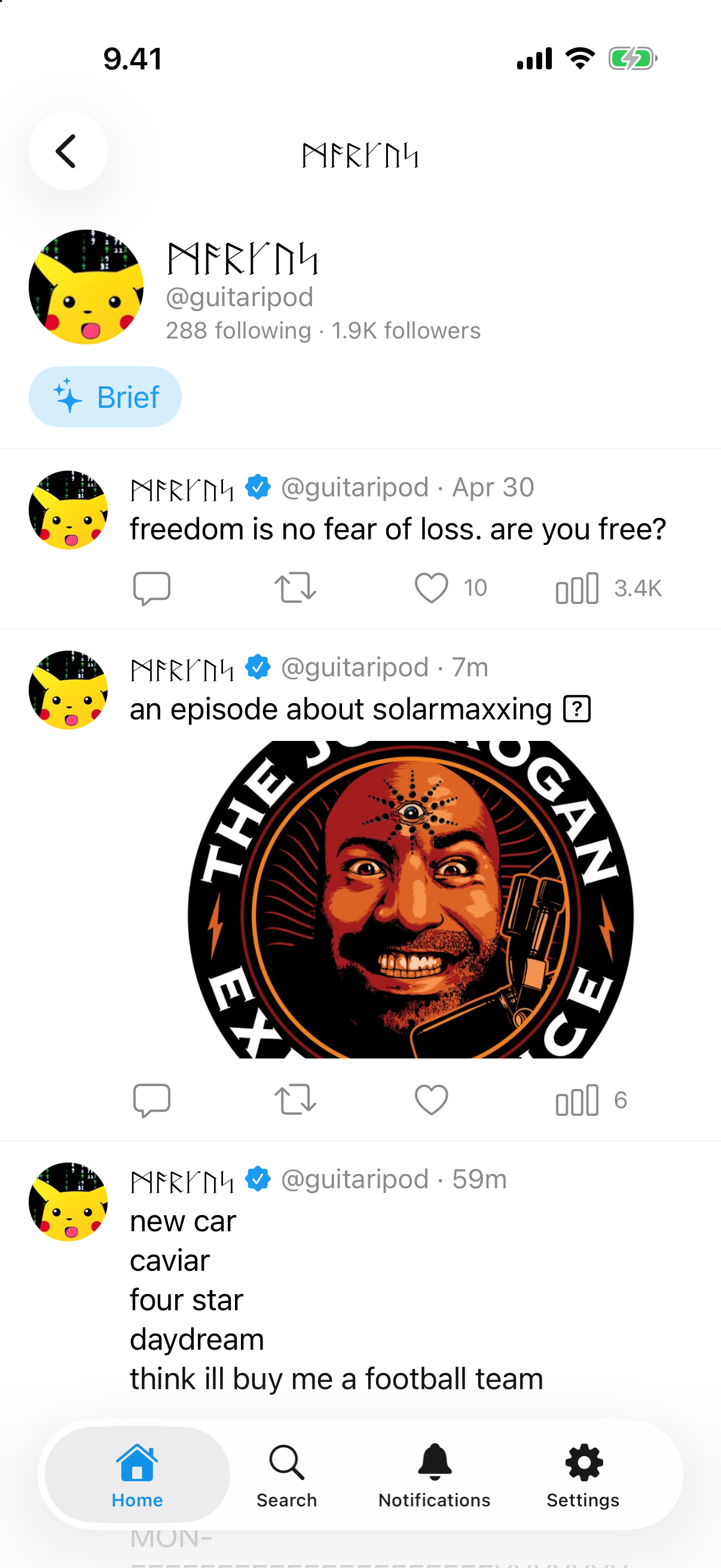
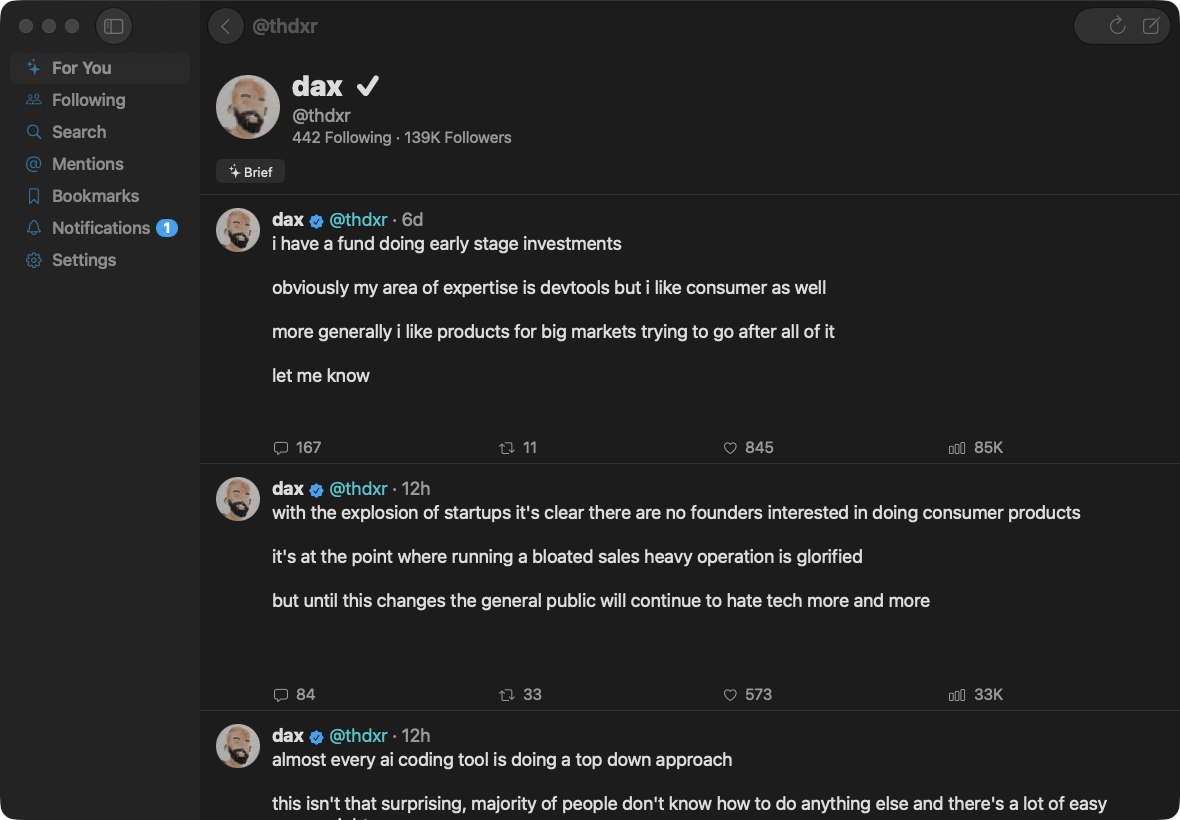
Open any profile with header, follower counts and a large avatar. Ask the local LLM for a short, third-person brief of someone’s recent timeline — a dossier no other client has.

Compose & reply

Write and reply through the official X API v2 with your own registered client. Auto-likes on reply. Your identity, your rate limits — never a shared key.

Ask · Brief · Translate

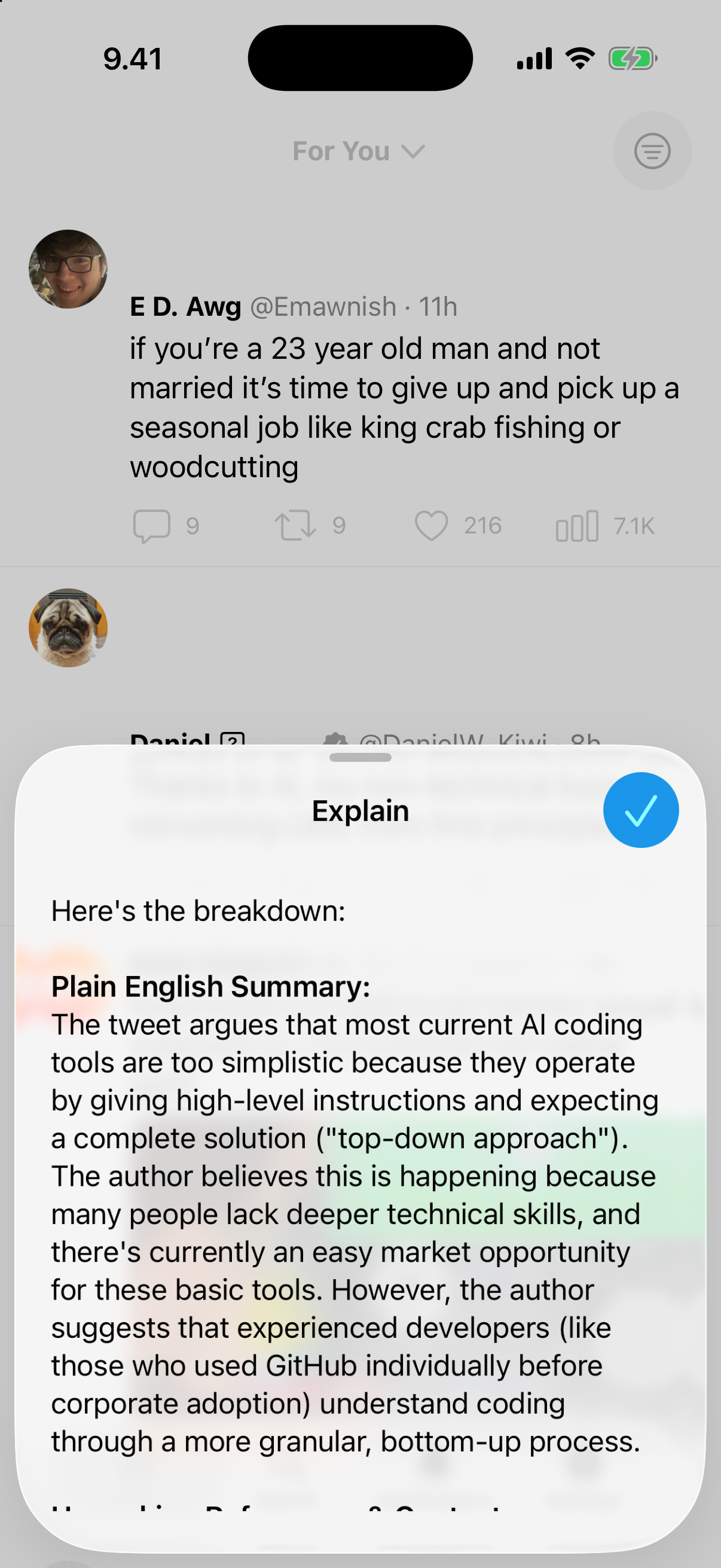
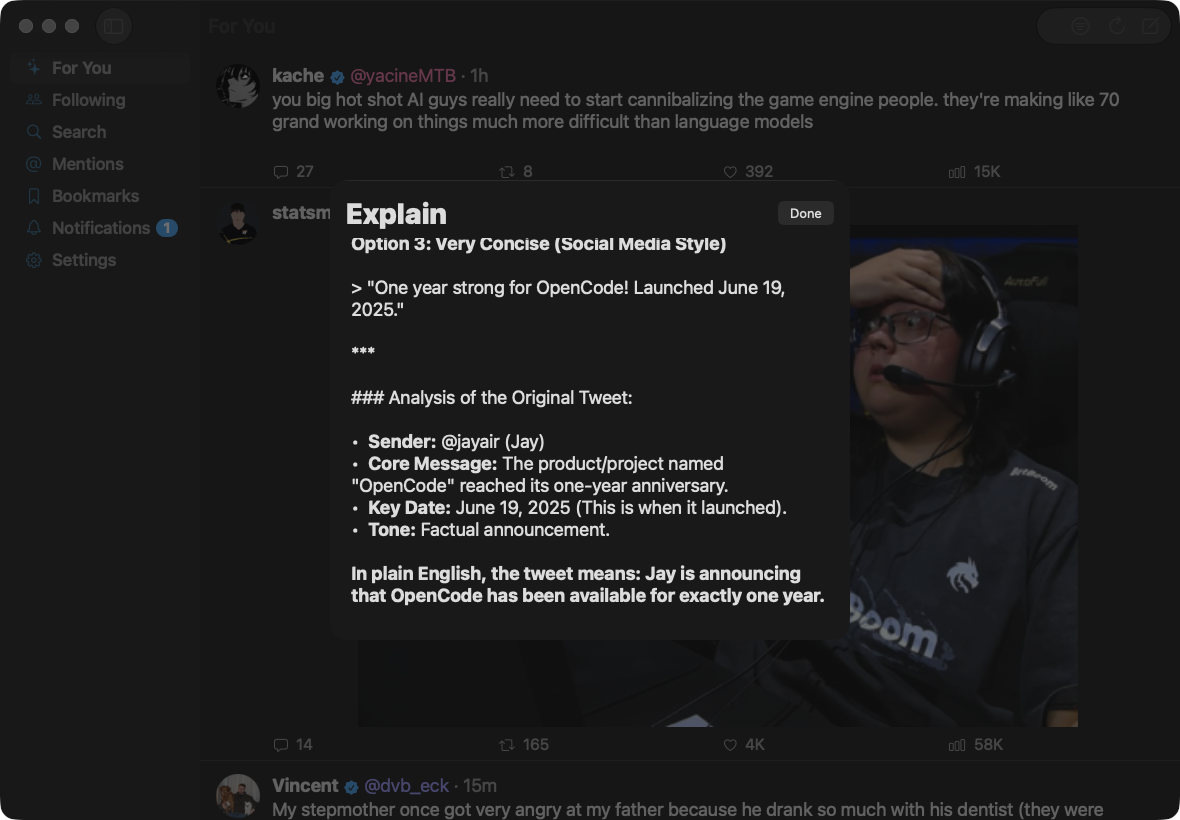
One local model powers four hooks: Filter classifies, Translate rewrites foreign posts in English, Ask opens an inline chat about a post with thread context attached, and Brief profiles a timeline. Nothing leaves your machine.

Native on every desktop

The iOS and macOS apps adopt the iOS 26 / macOS 26 Liquid Glass material; the Linux app is built in GTK4 / libadwaita and feels right at home in GNOME. Every face is the real platform toolkit — translucent depth and motion on Apple, an Adwaita window on Linux — never a wrapped web view.

Smooth scrolling

Cell-image recycling and prefetch keep the native feeds gliding at 120 Hz, with avatars and media decoded off the main thread so the timeline never stutters.

./unrager --screenshots

unrager in action

On iPhone

  • unrager on iPhone — A calm Home feed

    A calm Home feed

  • unrager on iPhone — Home in dark mode

    Home in dark mode

  • unrager on iPhone — A thread with photos

    A thread with photos

  • unrager on iPhone — A profile timeline

    A profile timeline

  • unrager on iPhone — Ask the local LLM

    Ask the local LLM

On Mac

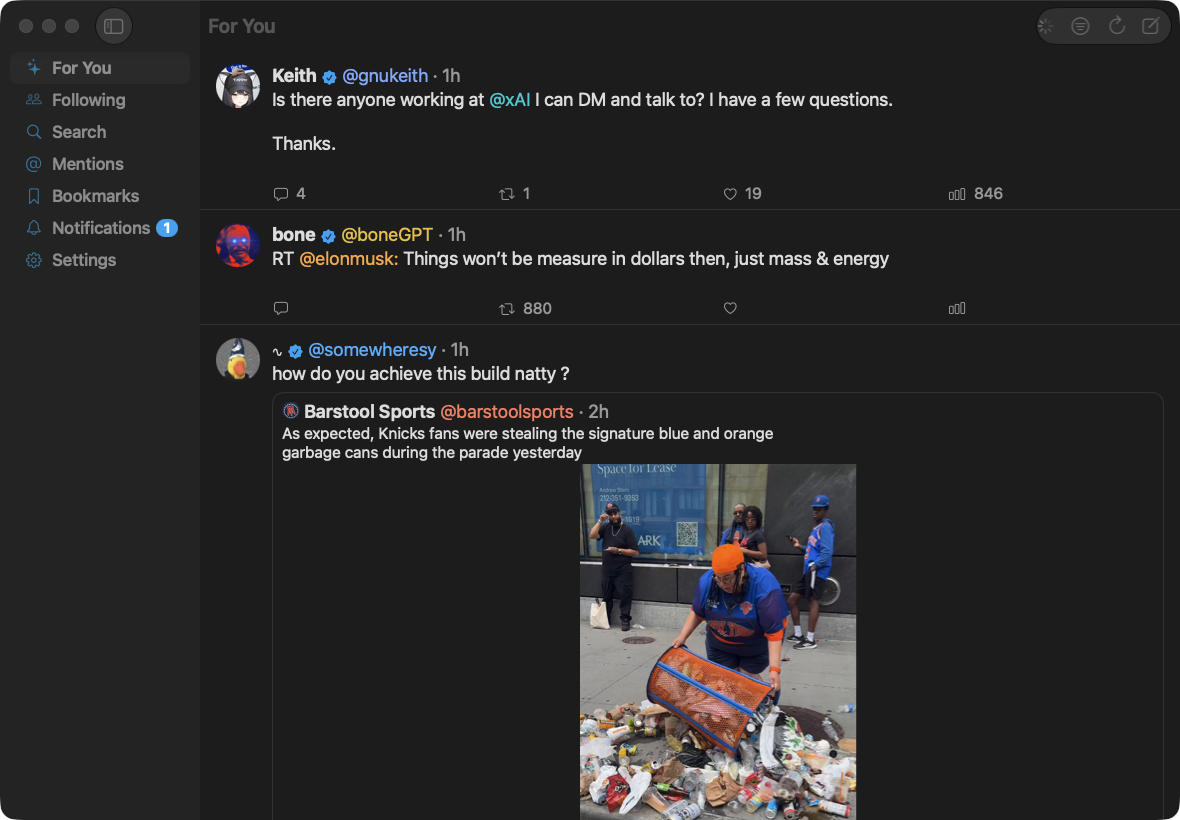
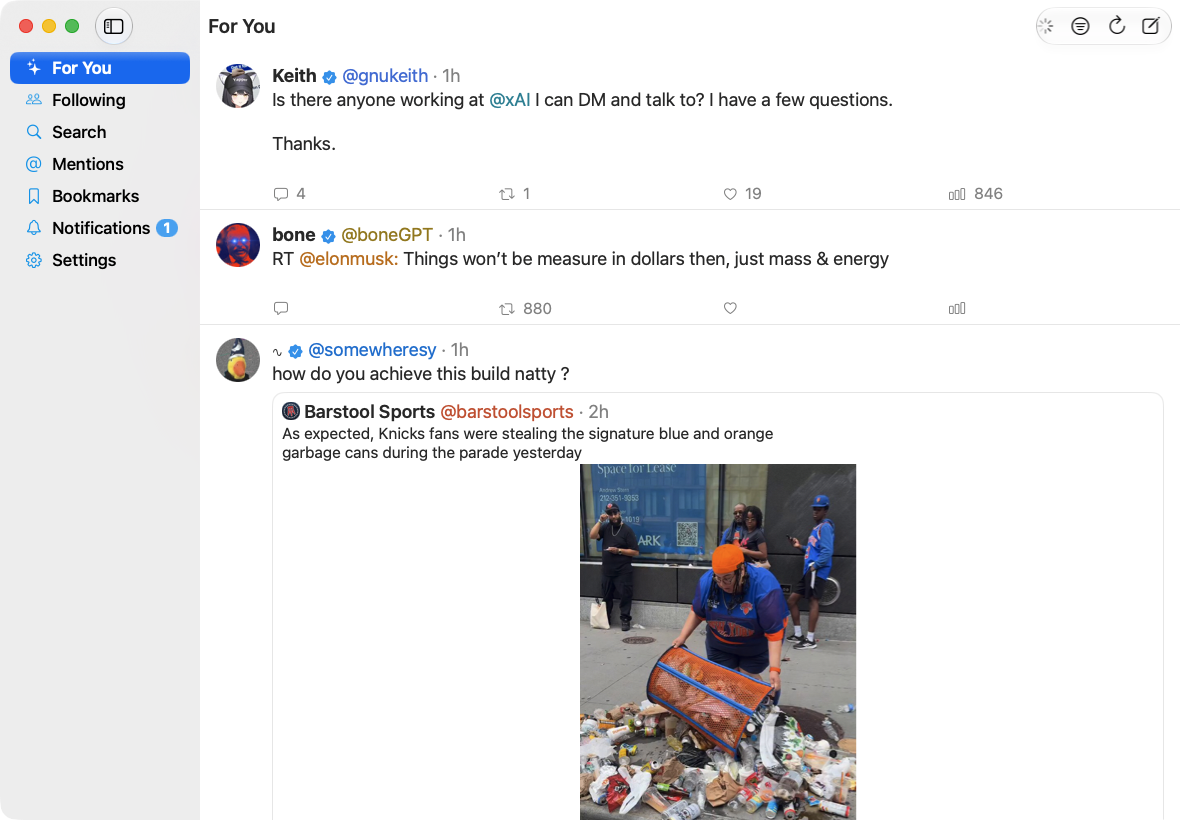
  • unrager on macOS — The feed in a native Mac window

    The feed in a native Mac window

  • unrager on macOS — Home in light mode

    Home in light mode

  • unrager on macOS — A thread with the reply rail

    A thread with the reply rail

  • unrager on macOS — A profile timeline

    A profile timeline

  • unrager on macOS — Ask the local LLM about a post

    Ask the local LLM about a post

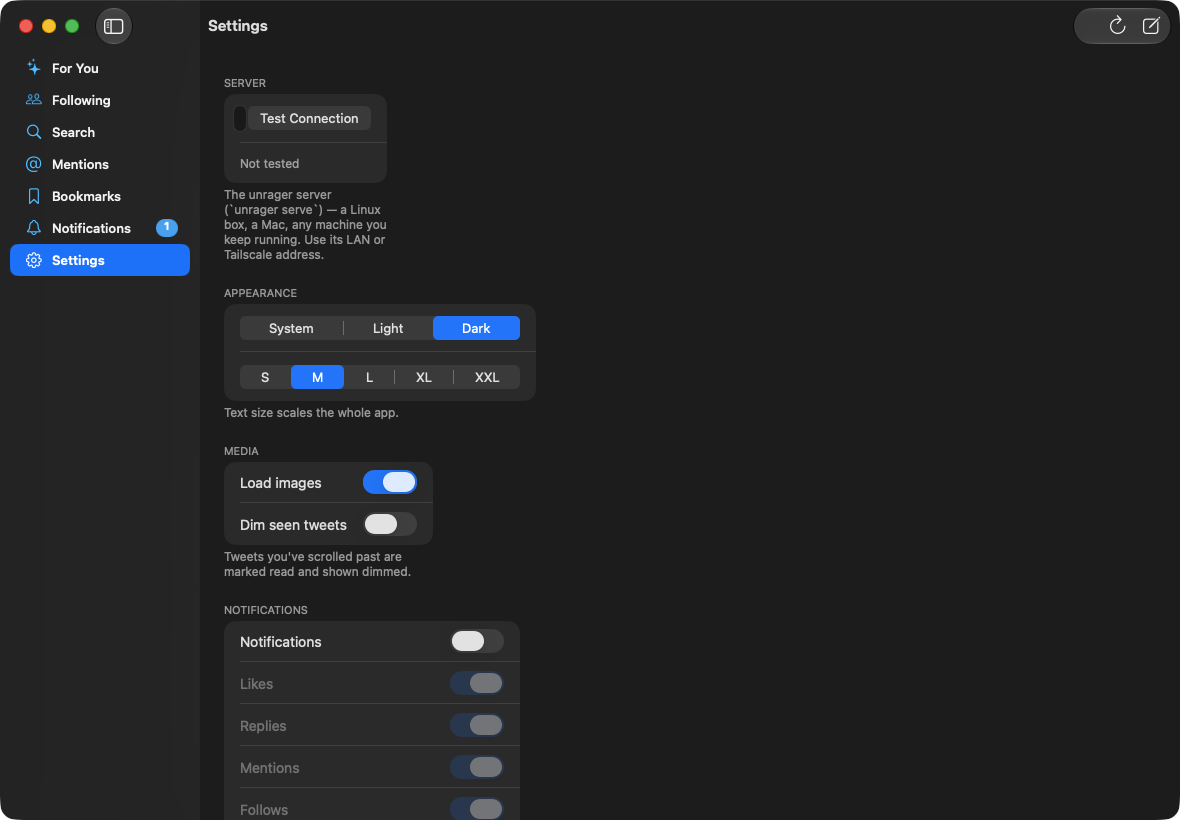
  • unrager on macOS — Settings, with adjustable text size

    Settings, with adjustable text size

On Linux

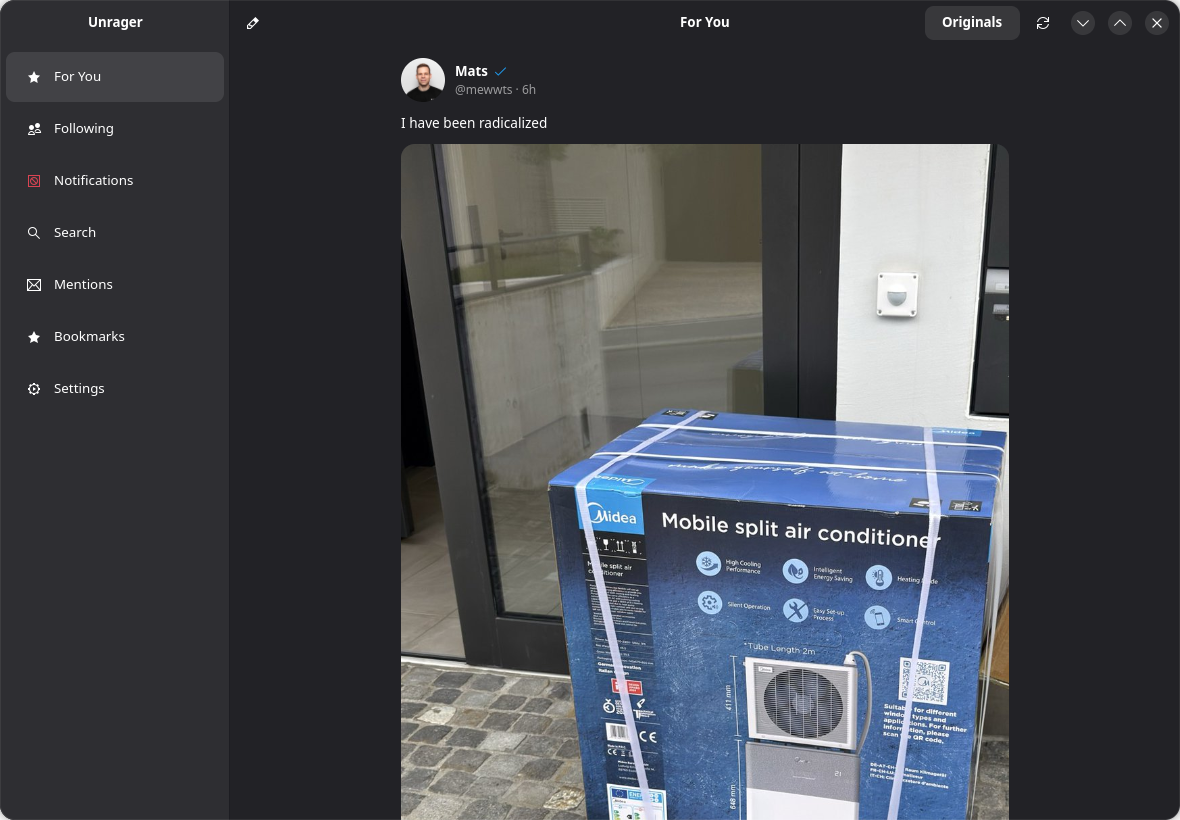
  • unrager on Linux — A calm Home feed in a GNOME window

    A calm Home feed in a GNOME window

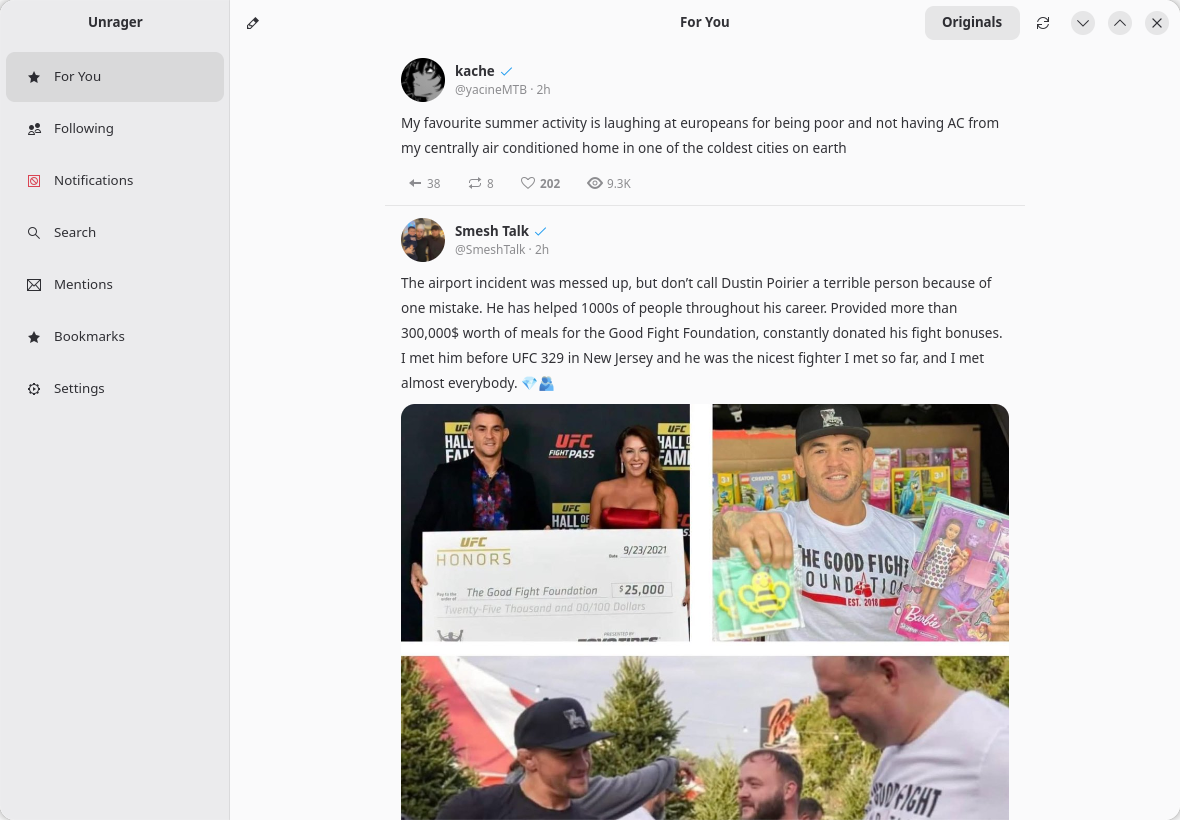
  • unrager on Linux — Home in light mode

    Home in light mode

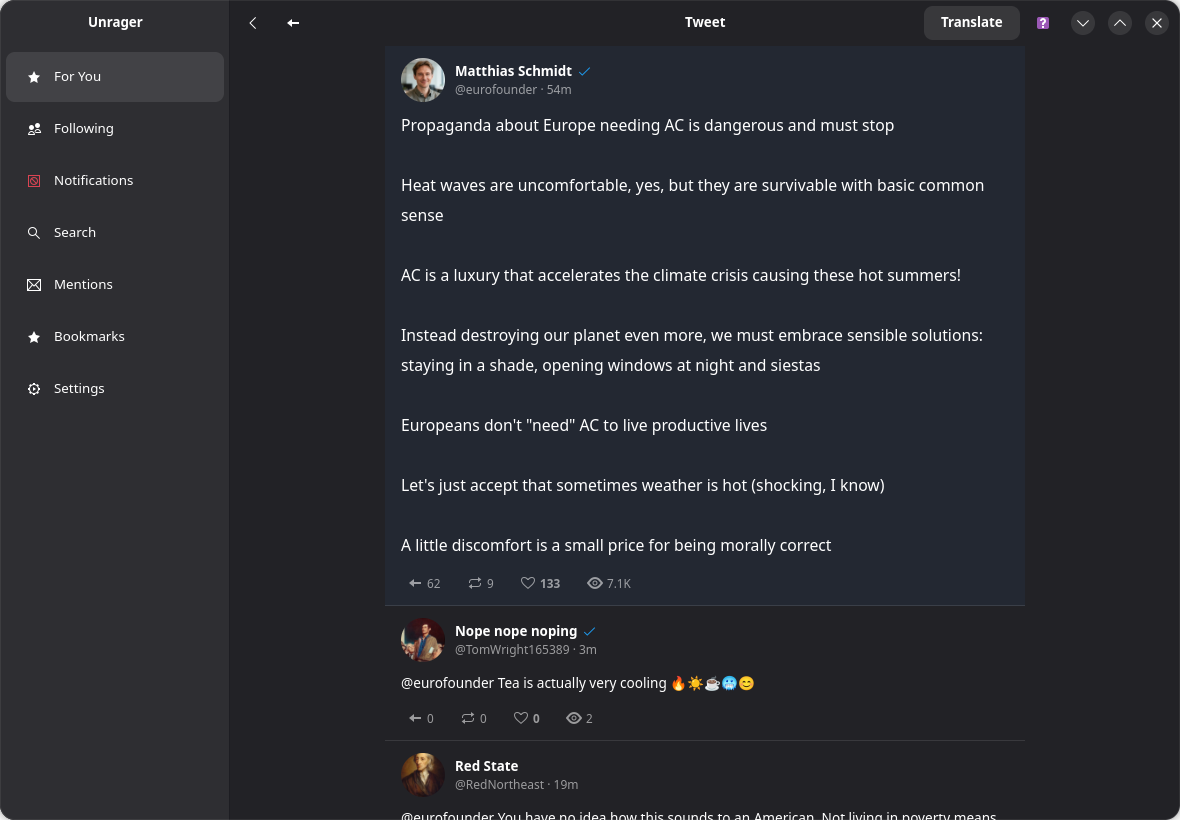
  • unrager on Linux — A thread with replies

    A thread with replies

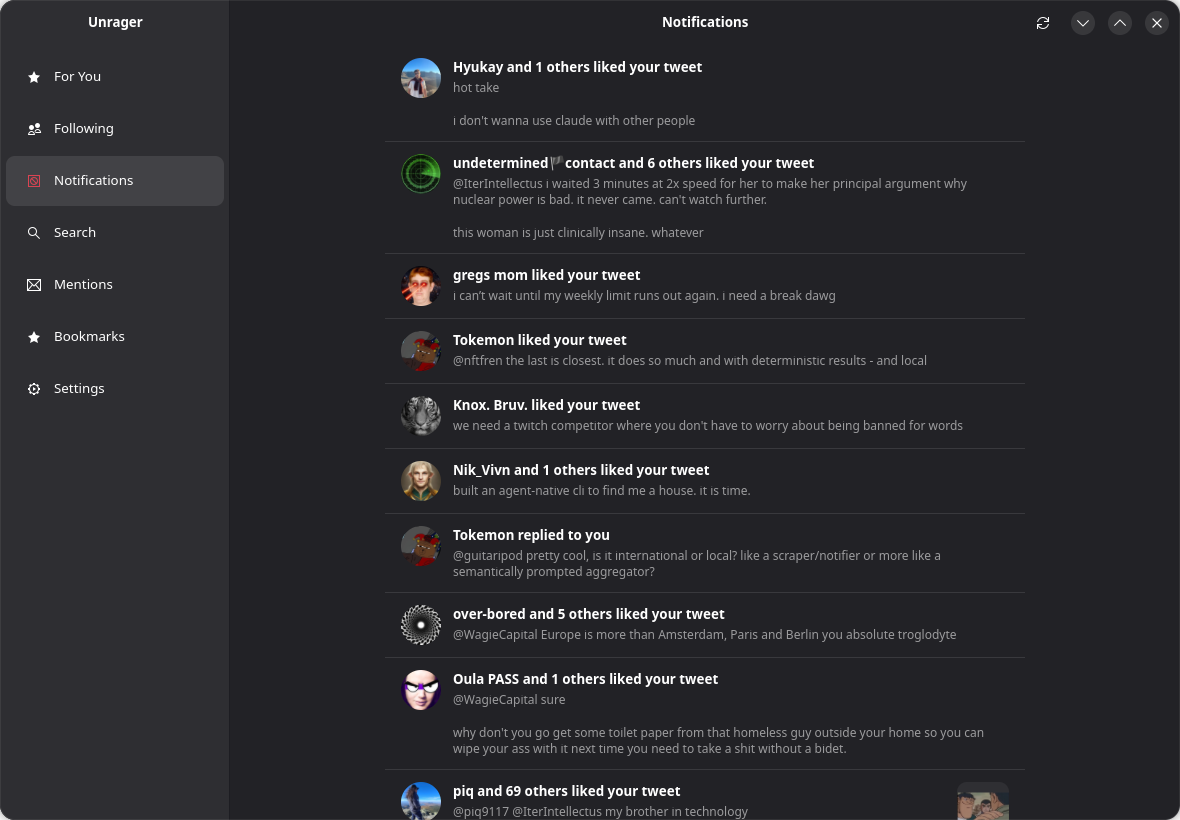
  • unrager on Linux — Notifications

    Notifications

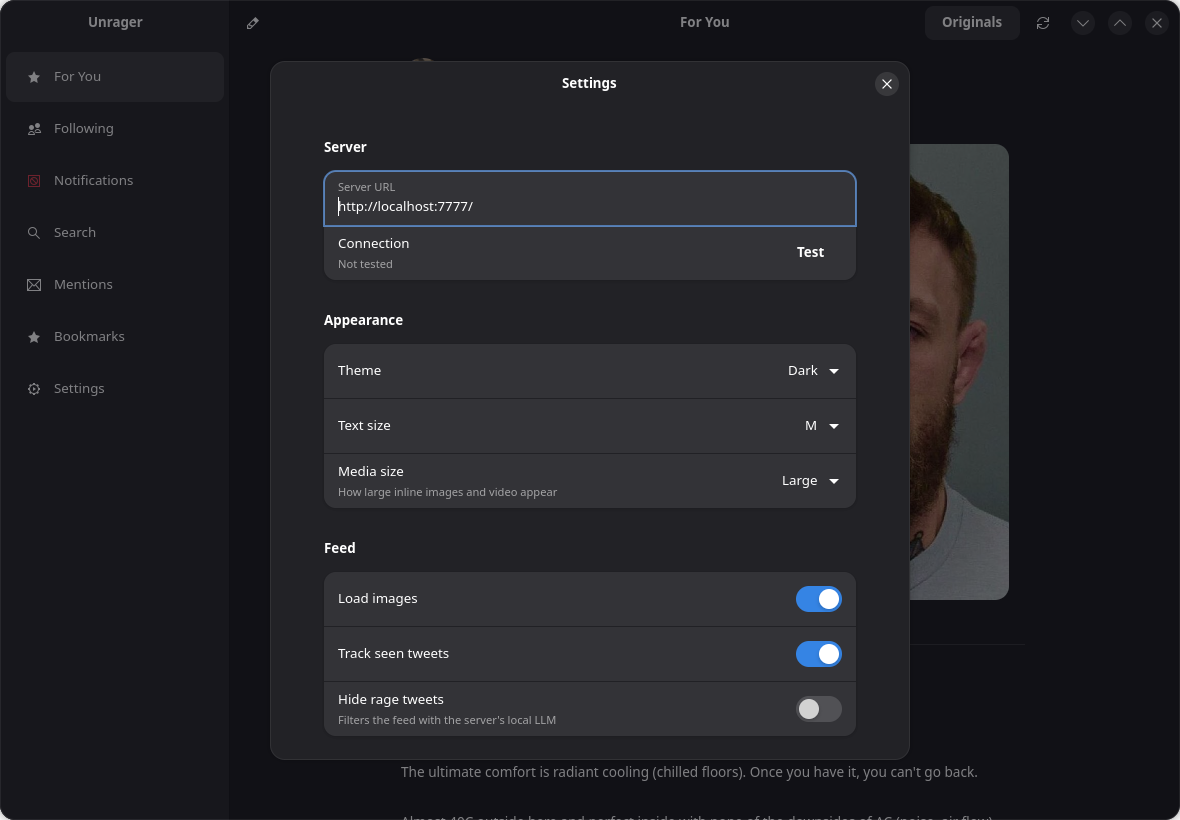
  • unrager on Linux — Settings, with adjustable text & media size

    Settings, with adjustable text & media size

In the terminal

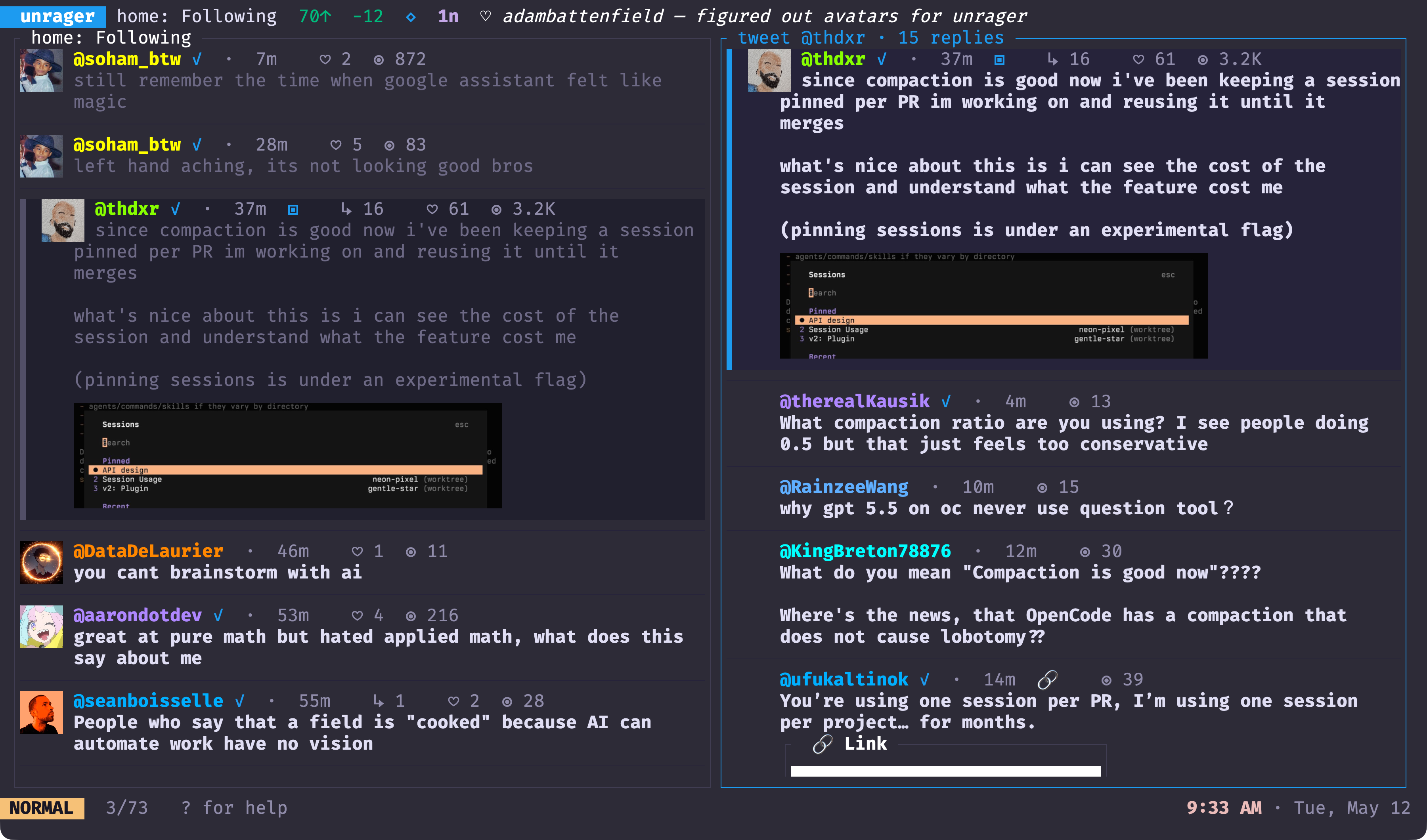
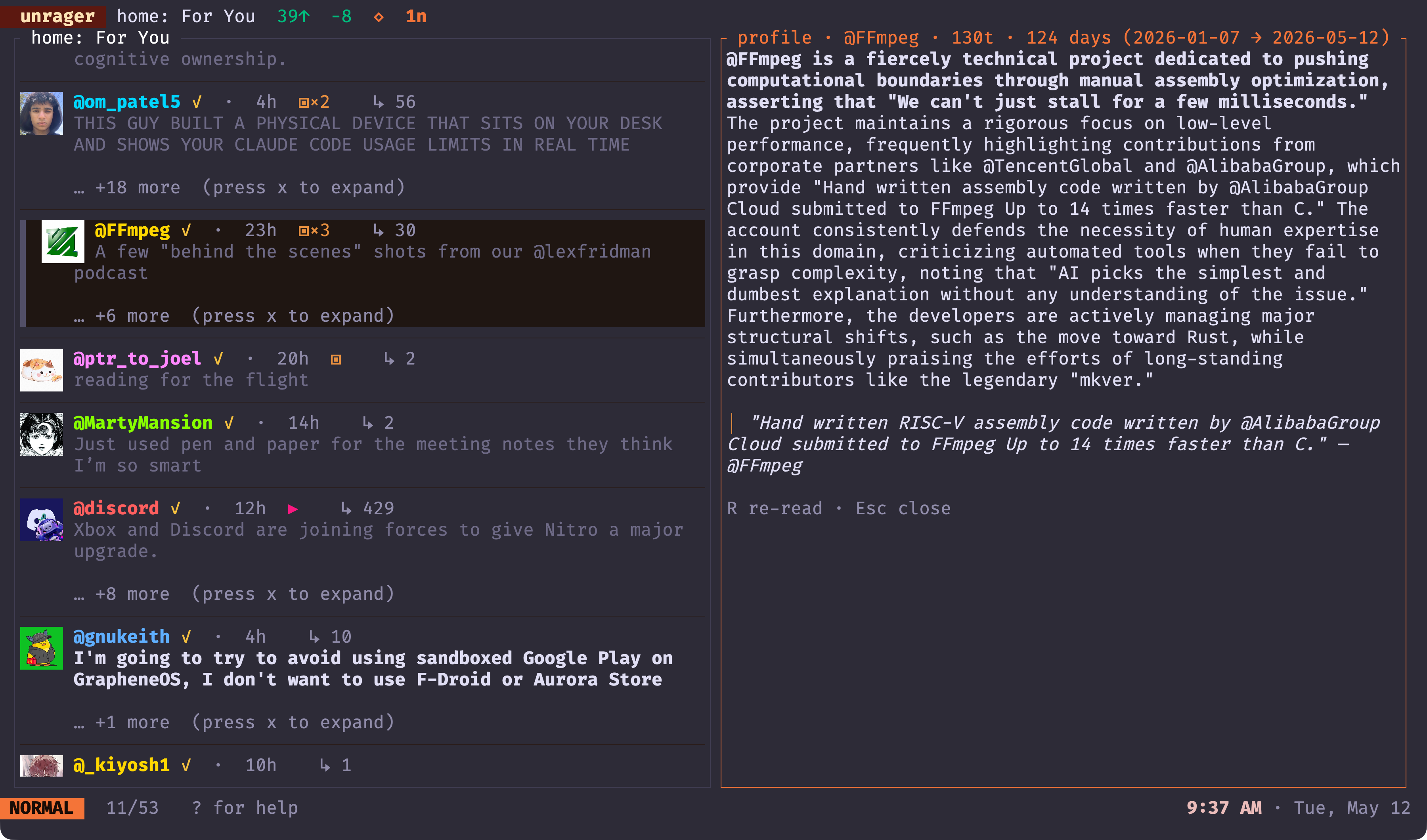
  • unrager in the terminal — Split-pane thread with inline media, rage filter ate 12

    Split-pane thread with inline media, rage filter ate 12

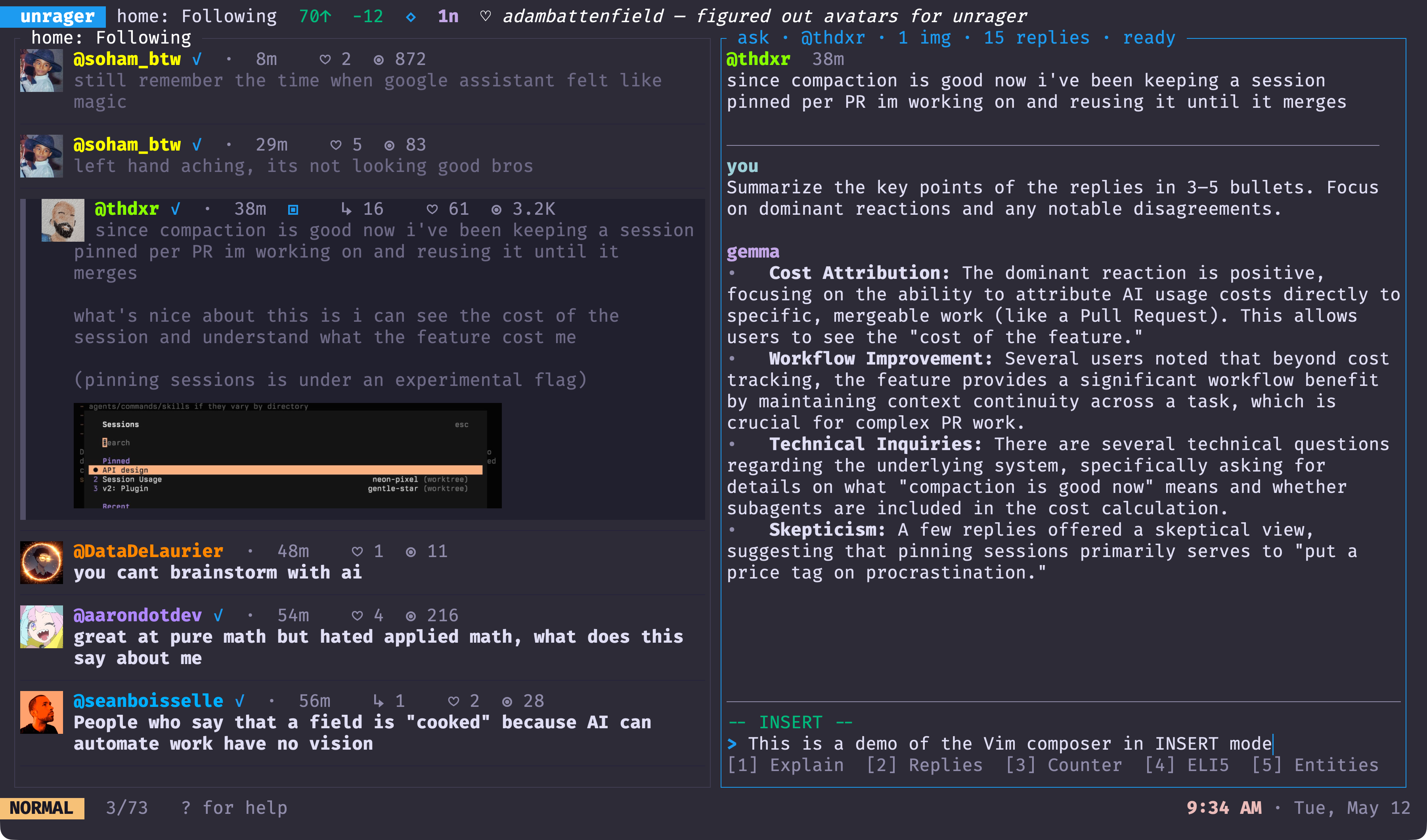
  • unrager in the terminal — Ask the local model while Vim composes underneath

    Ask the local model while Vim composes underneath

  • unrager in the terminal — A streamed profile brief

    A streamed profile brief

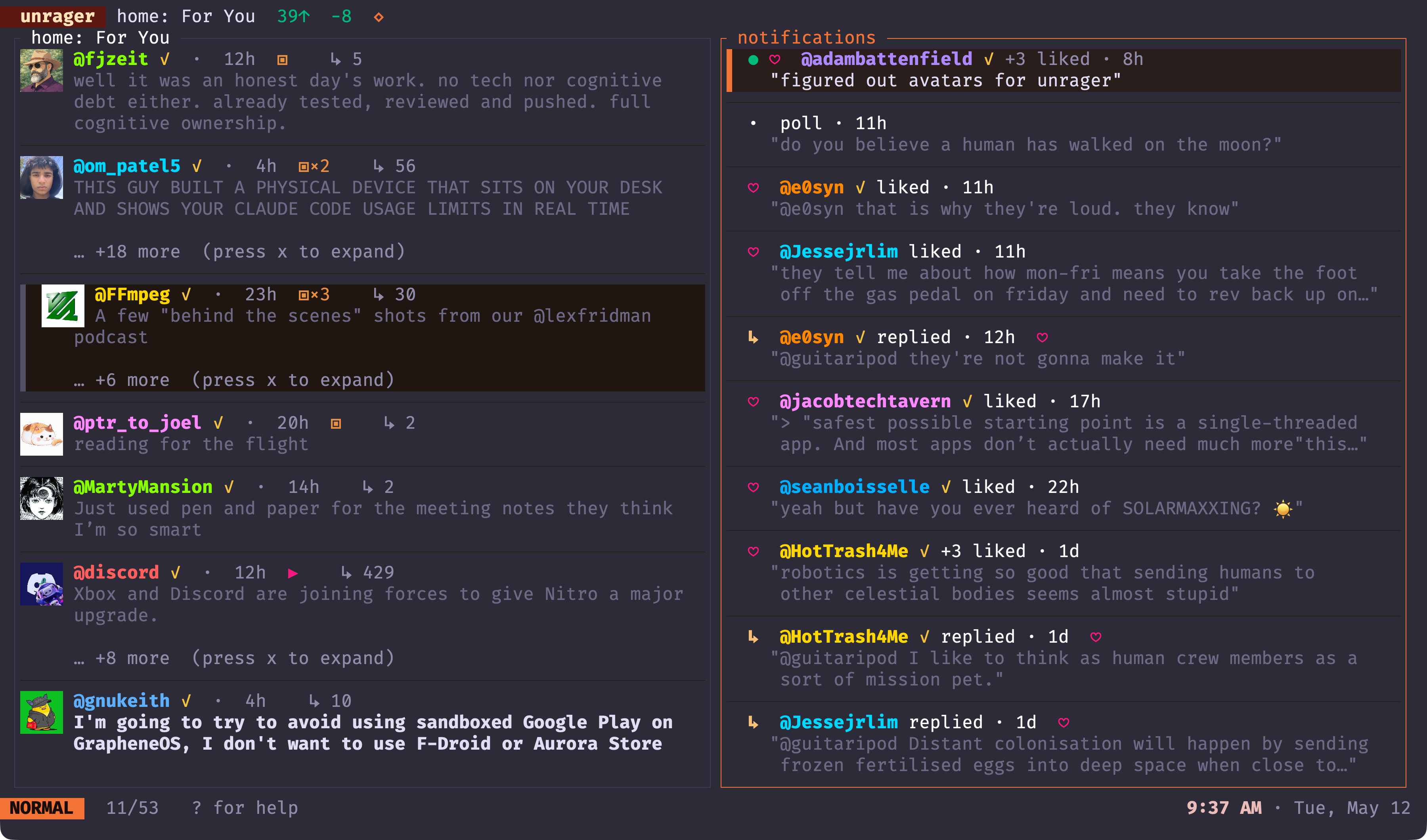
  • unrager in the terminal — Notifications with actor avatars

    Notifications with actor avatars

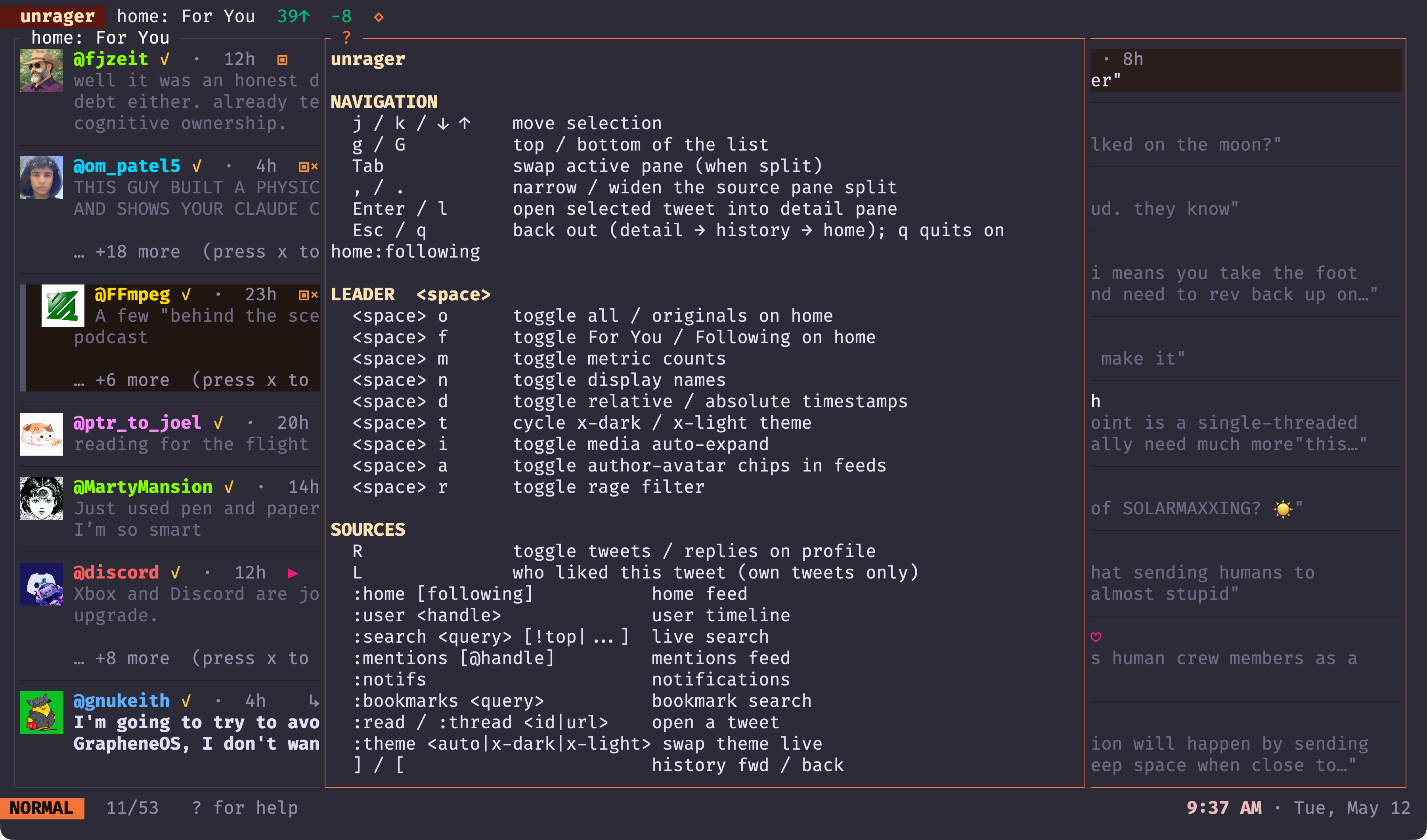
  • unrager in the terminal — Every keybinding, one glyph at a time

    Every keybinding, one glyph at a time

swipe to see more →

./unrager --how-it-works

How unrager works

One small Rust server on a box you own — a Linux machine, a Mac, a home server — stands between you and the firehose. Rage goes in; a calm feed comes out on every screen, and nothing ever leaves your machine.

Chaotic tweets are pulled from X with your own session, sifted through a local rage filter on a box you own, and the calm feed is served over your private Tailnet to every device.

./unrager --faq

Frequently asked questions

Why isn’t it on the App Store?

unrager logs in with your own existing X session and reads from X’s own GraphQL endpoints, which is incompatible with App Store distribution policy. So the native apps are built from source: clone the repo and run them — iOS on your own device from Xcode 26, macOS via `scripts/run.sh` (or a notarized DMG with `scripts/release-dmg.sh`), and the GNOME/Linux app with `cd linux && cargo run -p unrager-gtk`. The terminal client installs with one curl command or `cargo install`.

How do the apps connect to my account?

You run `unrager serve` on a machine you control — a Mac, a Linux box, a home server. That Rust process does all the X work using your browser session and OAuth tokens. The iOS, macOS and Linux apps are thin native clients that reach the server over Tailscale, so your feeds are available anywhere without ever exposing the server to the public internet. (The Linux app can also just spawn and manage a local server for you.)

Is my data private?

Yes. Everything runs on hardware you own. The rage filter, translate, ask and brief all call a local Ollama model — no prompt, tweet or timeline ever leaves your machine. There is no unrager cloud, no analytics, and no shared API key. Reads use X’s own endpoints; writes go through the official X API v2 with a client you register yourself.

What exactly is the rage filter?

A local LLM classifier. You write a plain-language rubric of topics and tones you don’t want to see; for every incoming tweet, a local Ollama model returns HIDE or KEEP, and HIDE matches are removed from the feed entirely. Verdicts are cached in SQLite keyed by the tweet and a hash of your rubric, so editing the rubric re-evaluates automatically and nothing is reclassified twice. If Ollama is down, the filter quietly disables and you see an unfiltered feed.

Does it cost anything to read?

No. Reads go through the same GraphQL endpoints the X web client uses, authenticated with your existing browser session — no developer API key, no paid tier, no per-feed cost. Only posting and replying use the official X API v2, with your own registered client and your own rate limits.

Which platforms are supported?

The terminal TUI and CLI run on macOS, Linux and Windows. The native GUI apps target iOS 26, macOS 26 and Linux (GTK4 / libadwaita, i.e. GNOME and most modern desktops). Inline terminal media needs a kitty-graphics terminal such as Ghostty, Kitty or WezTerm; elsewhere it falls back to glyph placeholders.

Take the rage out of X. Keep the signal.

Free, open source, and entirely on your own hardware.

GPL-3.0 Not affiliated with X Corp github.com/guitaripod/unrager ↗ by Midgar Oy

cd ~