open /Applications/Embr.app

Embr — Live Streams app icon

Embr

Entertainment

The Twitch client iPhone always deserved

Embr is a fast, fully native Twitch client built in UIKit for iOS 18. Watch live, VODs, and clips in a real AVPlayer with picture-in-picture and background audio, and read chat in real time with animated emotes from Twitch, 7TV, BetterTTV, and FrankerFaceZ merged into one stream.

In App Store review Free Entertainment iPhone
Coming soon to the App Store See it in action ↓
  • Native AVPlayer with picture-in-picture and background audio
  • Real-time chat with 7TV, BTTV, and FFZ emotes merged in
  • Browse everything as a guest — sign in only for Following
  • Open source, no tracking, your token stays in the Keychain
Embr on iPhone

./embr --screenshots

Embr in action

  • Embr — Native player with picture-in-picture

    Native player with picture-in-picture

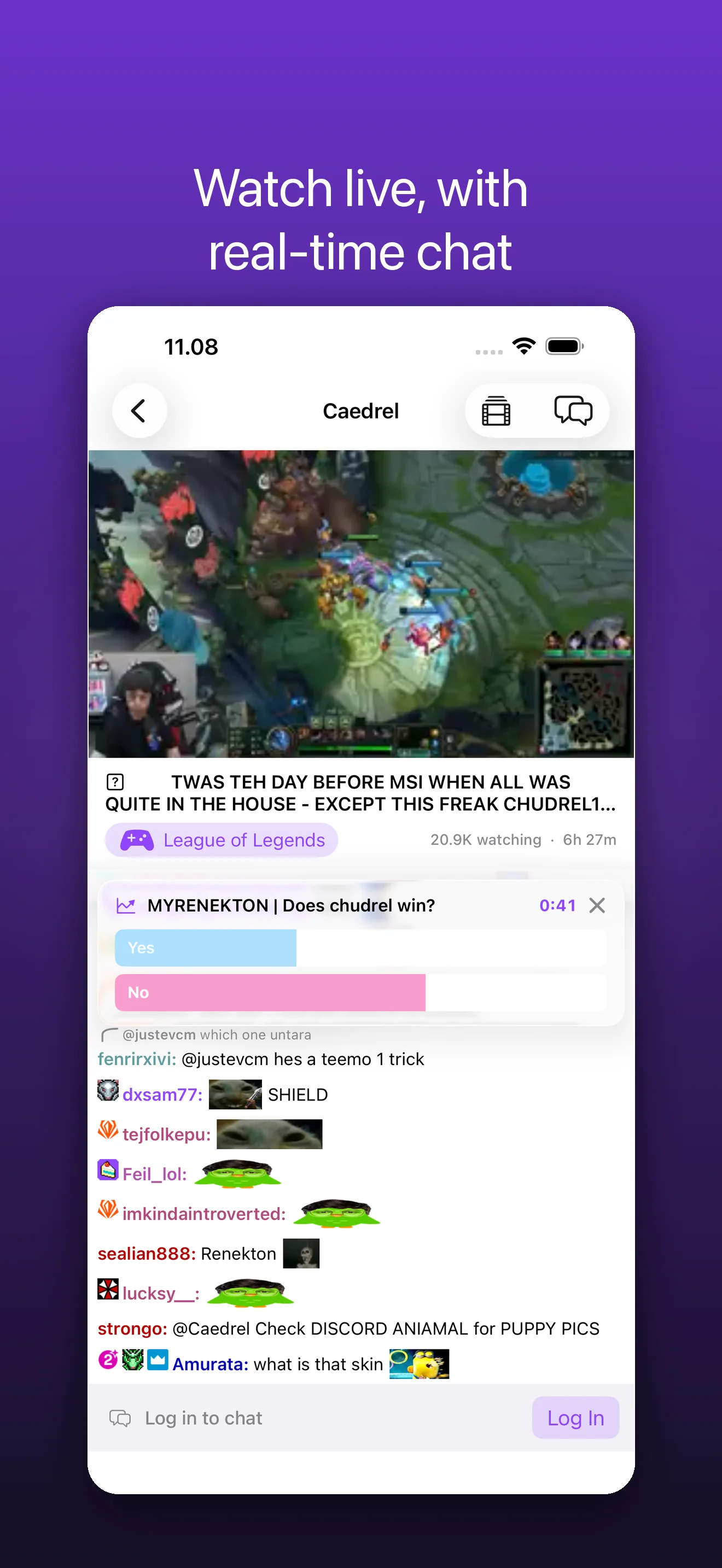
  • Embr — Real-time chat with merged emotes

    Real-time chat with merged emotes

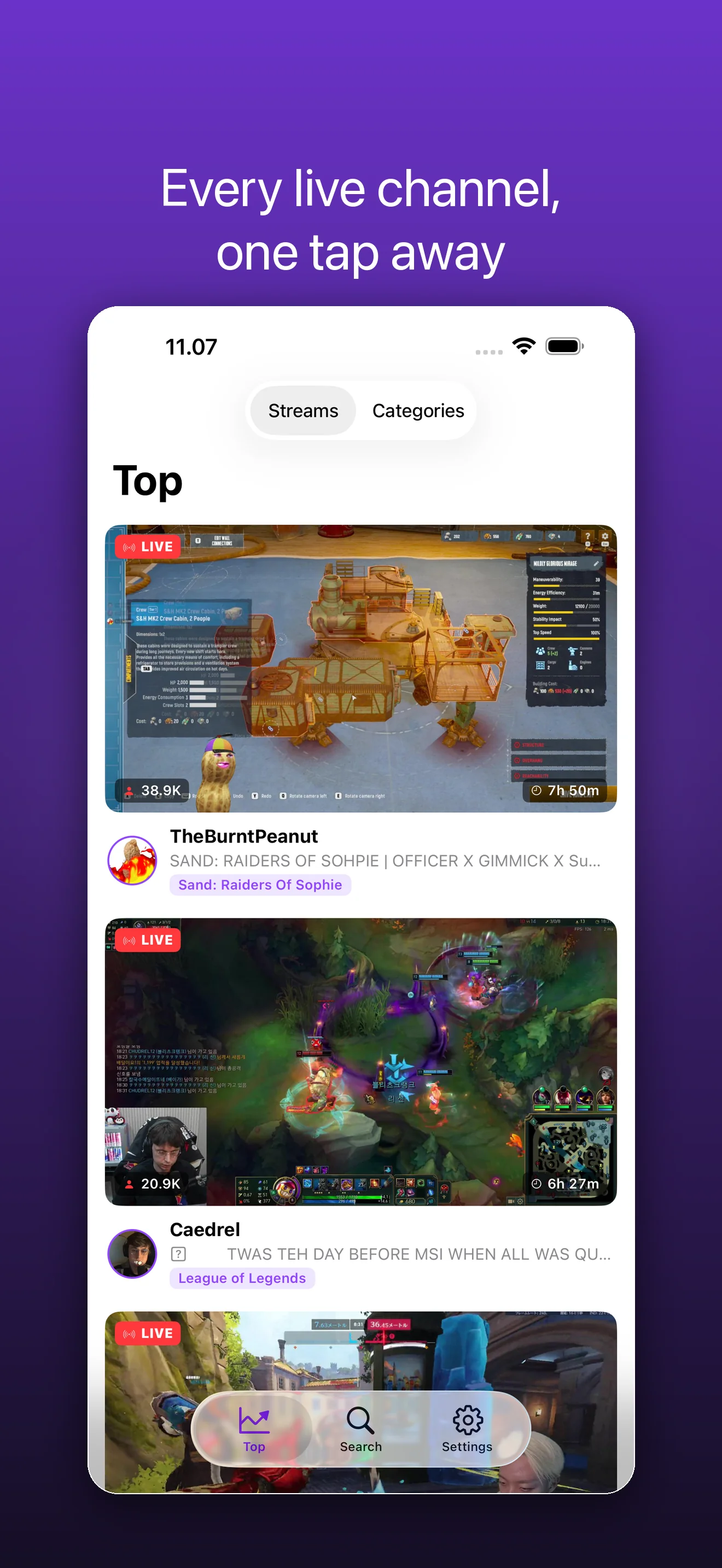
  • Embr — Browse live channels and categories

    Browse live channels and categories

  • Embr — Your Following tab, once you sign in

    Your Following tab, once you sign in

tap a screen to enlarge · swipe to see more →

cat embr/FEATURES.md

What Embr does

Embr is a fast, fully native Twitch client built in UIKit for iOS 18. Watch live, VODs, and clips in a real AVPlayer with picture-in-picture and background audio, and read chat in real time with animated emotes from Twitch, 7TV, BetterTTV, and FrankerFaceZ merged into one stream.

A real native player

Live streams, VODs, and clips play in AVPlayer, not a web wrapper. Picture-in-picture, background audio, quality selection, fullscreen, playback speed, latency control, and double-tap to seek — all the controls a native app should have.

Chat that keeps up

Real-time chat over Twitch EventSub with replies, badges, cheermotes, and emote autocomplete. Animated emotes from Twitch, 7TV, BetterTTV, and FrankerFaceZ are merged into a single stream so messages render exactly as your community uses them.

Find something to watch

Browse live channels and top categories, search across the catalog, and open any stream in a tap. A dedicated Following tab keeps your channels close once you sign in.

Moderation built in

Report or block in a long-press, and pull up full moderator tools when you run a channel. Chat search and per-message actions keep busy rooms manageable.

Liquid glass, native feel

Programmatic UIKit with a premium liquid-glass design, symbol effects on live states, and the snappy, gesture-driven feel of an app built for the platform — not a port.

Yours to inspect

Embr is open source. Browse a stream as a guest with no account, or sign in with Twitch via OAuth when you want Following and chat. Your token lives in the Keychain only, and there is no tracking.

man embr

How Embr works

  1. Browse

    Open Embr and explore live channels, top categories, and search straight away — no account needed to watch.

  2. Watch

    Tap any stream for native AVPlayer playback with picture-in-picture, background audio, and real-time chat side by side.

  3. Sign in

    Connect your Twitch account with OAuth to follow channels, chat with your emotes, and use moderator tools.

less embr/README

About Embr

Embr is a fast, native Twitch client built for iPhone — not a wrapped web view. Streams open in a real AVPlayer with picture-in-picture, background audio, and instant quality switching. Chat is rendered natively so it stays smooth even in the busiest channels. No bloat, no clutter, just watch and chat.

Browse without an account. Sign in with Twitch only when you want to follow channels and join the conversation.

WATCH

- Native AVPlayer video — live streams, VODs, and clips

- Picture-in-picture and background audio — keep watching while you use other apps

- Quality selection, latency display, and landscape fullscreen

- Double-tap to seek, and adjustable playback speed on VODs

BROWSE & DISCOVER

- Live channels and top categories at a glance

- Search channels and categories instantly

- A Following tab that surfaces who's live (when signed in)

- Rich channel pages with everything you need to dive in

REAL-TIME CHAT

- Live chat over Twitch EventSub — fast and reliable

- Animated emotes from Twitch, 7TV, BetterTTV, and FrankerFaceZ, all merged together

- Badges, cheermotes, mentions, and threaded replies

- Emote autocomplete and recent-message backfill so you're never lost

- Search the chat, report or block messages, and hide users you'd rather not see

- Moderator tools — delete, timeout, and ban — when you're a mod in the channel

MADE FOR iPhone

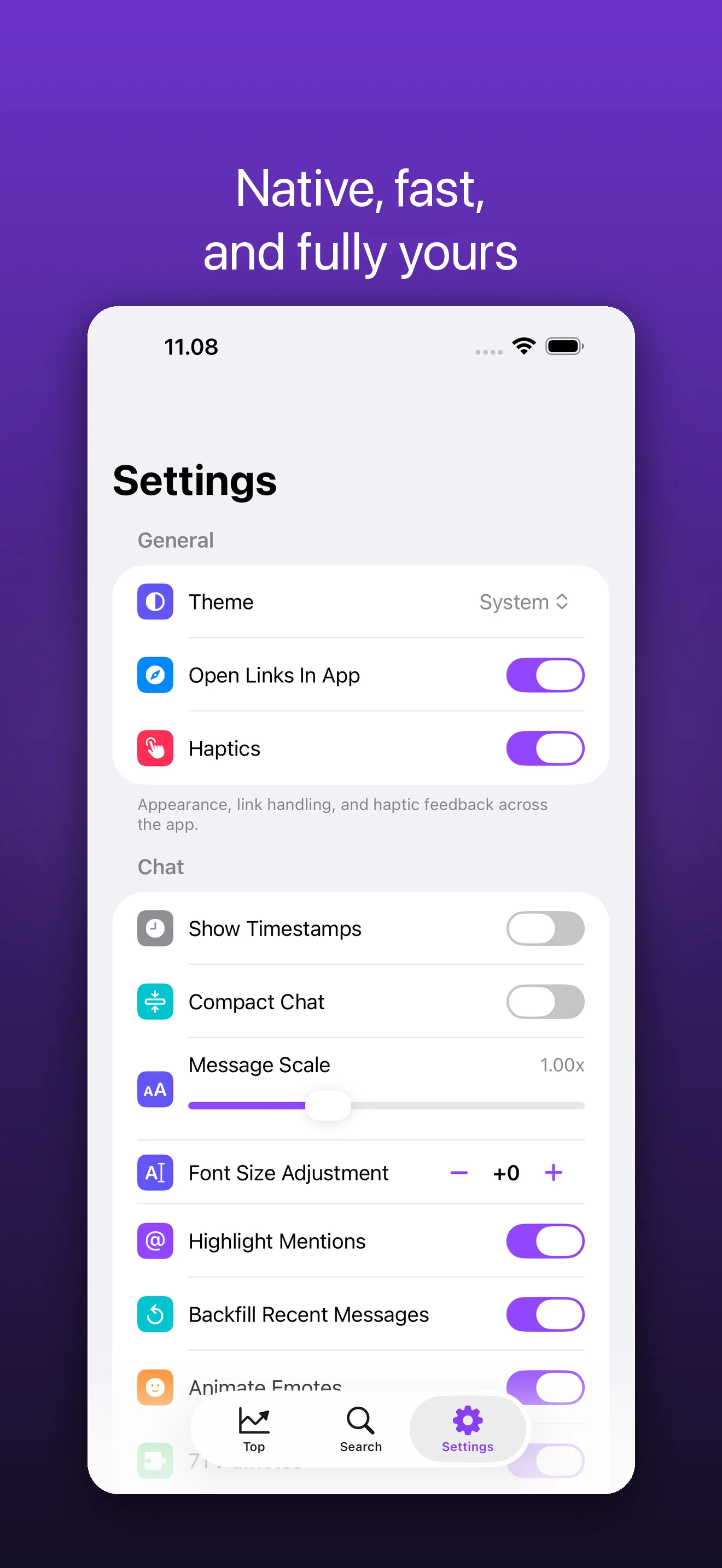
- Light and dark themes, with chat readability and text-scale controls

- Haptics, third-party emote toggles, and a blocked-users list

- Built natively in UIKit for speed and a small footprint

- Full guest browsing — an account is optional

Embr is open source.

———————

Embr is an independent, third-party app and is not affiliated with, endorsed by, sponsored by, or connected to Twitch Interactive, Inc. "Twitch" and all related names, marks, and logos are trademarks of their respective owners and are used here only to describe what the app connects to. You sign in with your own Twitch account through Twitch's official OAuth; Embr never sees your password. Use of Twitch is subject to Twitch's own Terms of Service.

./embr --faq

Frequently asked questions

Is Embr affiliated with Twitch?

No. Embr is an independent, third-party Twitch client. It is not made, endorsed, or affiliated with Twitch or Amazon. Twitch is a trademark of its owner.

Do I need a Twitch account to use Embr?

No. You can browse live channels, categories, search, and watch streams, VODs, and clips entirely as a guest. Sign in with Twitch only when you want a Following tab, to chat, or to use moderator tools.

What can the video player do?

Embr uses a native AVPlayer for live streams, VODs, and clips, with picture-in-picture, background audio, quality selection, fullscreen, playback speed, latency control, and double-tap to seek.

Which emotes does chat support?

Chat runs over Twitch EventSub in real time and merges animated emotes from Twitch, 7TV, BetterTTV, and FrankerFaceZ into one stream, alongside badges, cheermotes, replies, and emote autocomplete.

Can I moderate my channel from Embr?

Yes. Embr includes moderator tools, plus report and block actions on any message, and chat search to keep busy rooms manageable.

Is my data private?

Yes. Embr does not track you. Sign-in uses Twitch's official OAuth, and your access token is stored only in the iOS Keychain on your device.

Is Embr open source?

Yes — Embr is built in the open, and the full source goes public on GitHub when the app launches.

Which devices does Embr run on?

Embr runs on iPhone with iOS 18 and later.

Get the native Twitch client your iPhone deserves.

Free and open source. Browse and watch as a guest, or sign in with Twitch for Following, chat, and moderator tools — no tracking, no subscription.

Coming soon to the App Store
v1.0.0 · requires iOS 18.0+ Support ↗ Privacy ↗ by Midgar Oy

ls ~/apps